

Key Takeaways:
- Sans-serif fonts, such as Arial or Helvetica, offer clean lines and a modern design that ensure excellent readability on screens. Their simplicity makes them ideal for presentations projected at different resolutions or viewed from a distance. By avoiding unnecessary decorative elements, sans-serif fonts allow your audience to focus on the content without distractions, enhancing the clarity of your message.
- Although serif fonts, like Times New Roman or Georgia, are not suitable for extensive on-screen text, they can add a touch of elegance and formality to specific elements such as titles or quotes. Their traditional look can help convey authority and professionalism in particular contexts, like academic or formal presentations. However, it’s crucial to test them on different screen sizes to ensure they remain legible and don’t overwhelm the design.
- Choosing fonts with varied sizes, weights, and styles helps create a clear visual structure that guides your audience’s attention. Titles should stand out prominently, while subheadings and body text should maintain consistency for easy readability. A well-designed hierarchy not only organizes your content but also emphasizes the most important points. Limiting your font selection to two or three complementary styles ensures a polished, professional aesthetic while preventing visual clutter.

Understanding serif and sans-serif fonts, along with effective visual hierarchy, shapes the clarity and impact of every slide
Let’s be honest, how many presentations have you sat through where the content was brilliant, but the visuals… well, they didn’t look good? We’ve all been there, haven’t we?
A wall of text in a barely legible font, making your eyes water and your brain check out. It’s a presentation crime!
Crafting an effective PowerPoint presentation isn’t just about the words; it’s about the visual journey you take your audience on. And smack-dab in the middle of that journey are your fonts. Choosing the right fonts is like managing colors effectively: it isn’t a minor detail; it’s a strategic decision that can make or break your presentation’s impact.
In this guide, I will guide you into the world of fonts. We’ll unpack the characteristics of serifs and sans-serifs, explore when to use which, and, crucially, equip you with the knowledge to select fonts that not only look good but also actively enhance your message.

Serif vs. Sans-Serif: Decoding the Font Families
Imagine a tiny, elegant hat perched on the end of each letter. That, in essence, is the difference between serif and sans-serif fonts.
Serif fonts, like Times New Roman or Georgia, boast these small decorative strokes (the “serifs”) at the ends of their letterforms. Think of them as the classic, sophisticated elder statesmen of the font world. They exude a sense of tradition, formality, and even a touch of gravitas. Historically, they were favored for printed materials like books and newspapers because those little “hats” were thought to guide the reader’s eye across long lines of text, improving readability on paper.
Now, picture stripping away those hats.
What you’re left with is the clean, modern look of a sans-serif font, like Arial or Helvetica. “Sans” is French for “without,” so these are literally “without serif” fonts. Their straightforward, uncluttered design makes them feel contemporary and approachable. Think of them as the effortlessly cool younger siblings in the font family.
So, why does this distinction matter for your PowerPoint slides? It all comes down to the viewing medium.
Read also: Tips and Logic for Choosing the Right Colors for Your Presentations

Why Sans-Serif Fonts Are Your PowerPoint Power Players
When your precious presentation is projected onto a screen, sometimes from a distance, sans-serif fonts are the best choice. Their clean lines and lack of embellishments make them incredibly easy to read on digital displays, even when viewed quickly or at smaller sizes. Think about it: those tiny serifs that might help on a printed page can become blurry or even disappear on a screen, especially with varying resolutions.
Sans-serif fonts offer a visual punch that cuts through the digital noise. They’re like the spotlight illuminating your key points, ensuring your audience stays involved and doesn’t miss a beat. Their inherent simplicity translates to a feeling of modernity and directness – perfect for conveying information efficiently.
Ever noticed how almost every major tech company uses a sans-serif font in their logos and interfaces? There’s a reason for that! They project an image of innovation and ease of use. Isn’t that the vibe you want for your presentation?
Consider this: you’re presenting a crucial sales pitch. Do you want your audience squinting to decipher ornate, serif-laden text, or effortlessly absorbing your persuasive points in a crisp, clean sans-serif? The answer is obvious, right? Sans-serif fonts are the visual equivalent of a firm handshake – confident, clear, and leaving a positive impression.
Furthermore, sans-serif fonts are generally more forgiving across different operating systems and devices. You’re less likely to encounter frustrating font substitutions that can mess up your carefully crafted layout when using common sans-serif options. It’s about ensuring your presentation looks as polished on your audience’s screen as it does on yours.

When Serif Fonts Can Still Shine (But Tread Carefully!)
Now, before you banish all serif fonts from your design arsenal, let’s acknowledge they still have a place in the presentation landscape, albeit a more niche one. Imagine you’re crafting a presentation with a particularly formal or academic tone. Perhaps you’re presenting research findings or delivering a keynote address at a prestigious conference. In these scenarios, a carefully chosen serif font can lend an air of authority and tradition. Think of it as the visual equivalent of wearing a well-tailored suit.
Serif fonts can also be effective for specific elements like title slides or occasional prominent quotations. Their inherent elegance can add a touch of visual flair and distinction. However, the key here is moderation and testing. Using serif fonts for large blocks of body text on screen is generally a recipe for reader fatigue. Those “tiny hats” can become visual clutter when projected, hindering readability.
Think of serif fonts in your PowerPoint as a spice – a little can enhance the flavor, but too much can overpower the dish. Use them strategically and always prioritize readability. If you’re considering a serif font, project your slides on different screen sizes and from various distances to ensure it remains clear and legible. Don’t let aesthetic preference trump the fundamental goal of communication!
The Power of Visual Hierarchy: Guiding the Eye with Font Choices
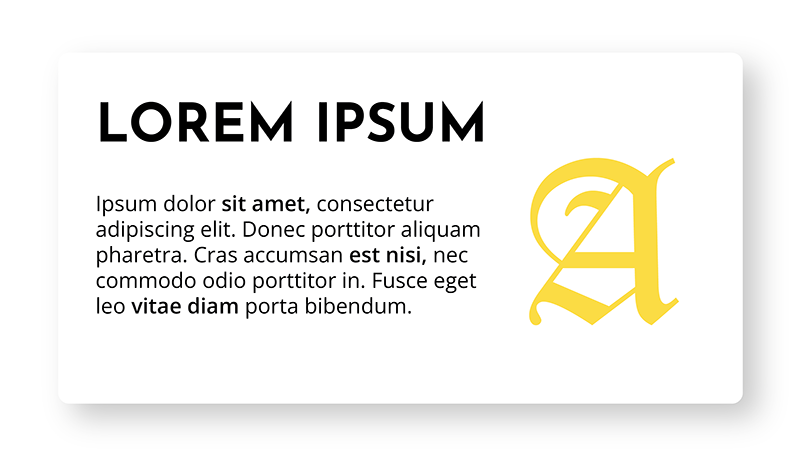
Imagine walking into a room where everything is the same size and color. It would be visually overwhelming and difficult to make sense of anything, wouldn’t it? The same principle applies to your slides. A strong visual hierarchy is essential for guiding your audience’s eye and highlighting the most important information. And guess what? Your font choices play a crucial role in creating this hierarchy.
Think of your title as the headline of a newspaper – it needs to be bold and prominent, instantly grabbing attention. This is where larger font sizes and bolder font weights come into play. Subheadings then provide structure and context, typically using a slightly smaller size and weight than the main title but still standing out from the body text. The body text itself should be easily readable and consistent throughout your presentation.
It’s like creating a visual roadmap for your audience. The font sizes and styles act as signposts, telling them what’s most important and how the different pieces of information relate to each other. Don’t be afraid to experiment with different font weights (bold, semi-bold, light) and sizes to create visual contrast. Just remember to maintain consistency within your presentation – using too many different font styles can create a chaotic and unprofessional look. Aim for a maximum of two or three complementary fonts to maintain a cohesive and polished aesthetic. Applying these principles of hierarchy and consistency slide after slide can be time-consuming. To speed up this process and ensure professional results every time, tools like our MLC PowerPoint Add-In can automate many of these repetitive formatting tasks, letting you focus on the content rather than the clicks.
Think of your font choices as a silent language, subtly communicating the importance and relationships between different elements on your slide. A well-defined visual hierarchy makes your message more digestible and engaging, allowing your audience to effortlessly follow your train of thought.
Beyond the Basics: Pro-Tips for Font Finesse
Choosing the right font isn’t just about serif vs. sans-serif; it’s about making informed decisions that enhance your message and brand. Consider these pro-tips for taking your font game to the next level:
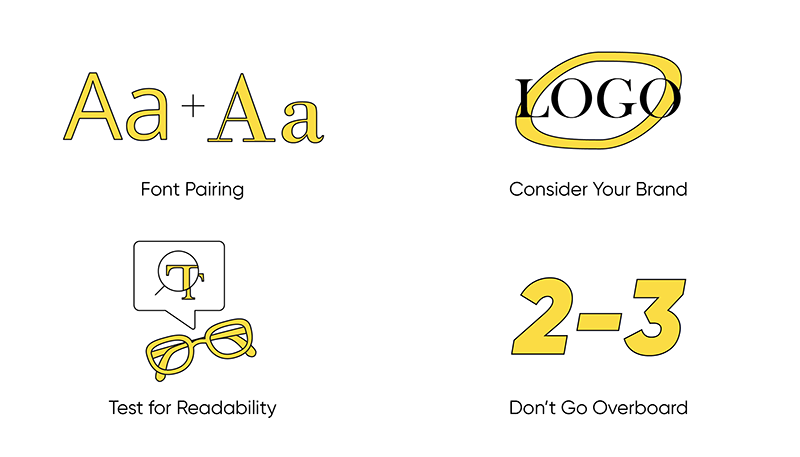
- Font Pairing: The Art of Harmonious Contrast. Don’t be afraid to pair a sans-serif font for your headings with a slightly different sans-serif for your body text, or even a subtle serif for specific elements like quotes. The key is to choose fonts that complement each other without clashing. Think of it like pairing wine with food – you want flavors that enhance, not overpower, each other.
- Consider Your Brand. Does your organization have specific brand fonts? Using them in your presentations reinforces brand consistency. If not, choose fonts that align with your brand’s personality – are you aiming for modern and innovative, or classic and trustworthy?
- Test for Readability. This cannot be stressed enough! Always preview your presentation on a projector and from different distances to ensure your chosen fonts are easily readable. Pay attention to font size, line spacing, and contrast against your background color.
- Don’t Go Overboard. Resist the urge to use a multitude of different fonts. Stick to a maximum of two or three to maintain a clean and professional look. Too many fonts can create visual clutter and distract from your message. Think “less is more” when it comes to font choices.
Juggling all these elements—font pairing, brand consistency, visual hierarchy, and readability—requires a trained eye and significant effort. If your presentation is high-stakes and you want to ensure a flawless, professional result without the guesswork, the most effective solution is often to collaborate with a specialized PowerPoint presentation design agency like ours.
Font Choices – Your Weapon for Presentation Success
Choosing the right fonts for your PowerPoint presentations isn’t a trivial task; it’s a strategic decision that directly impacts the clarity, professionalism, and overall effectiveness of your message. By understanding the fundamental differences between serif and sans-serif fonts, and by consciously considering visual hierarchy and brand consistency, you can transform your slides from merely functional to truly impactful.
So, the next time you’re crafting a presentation, don’t just default to the same old fonts. Take a moment to consider the message you want to convey and the audience you want to reach. Experiment, test, and embrace the power of thoughtful font selection. You might be surprised at the difference it makes.
I hope this article has been helpful to you. If so, please share it with anyone who could use it!
Let’s put an end to slides with random fonts.
Have a great time working on your effective presentations!
How to choose fonts for PowerPoint presentations: FAQ
What are the benefits of sans-serif fonts for PowerPoint presentations?
Sans-serif fonts, such as Arial or Helvetica, offer clean lines and a modern design that ensure excellent readability on screens. Their simplicity avoids unnecessary distractions and makes them ideal for presentations that may be projected at varying resolutions or viewed from a distance. By focusing on clarity and eliminating decorative elements, sans-serif fonts enhance the audience’s ability to absorb information quickly and effectively. This makes them particularly useful for digital environments where readability is paramount.
When should I use serif fonts in presentations?
Serif fonts, such as Times New Roman or Georgia, are best reserved for specific design elements like titles, headings, or quotations that require an extra touch of elegance or formality. Their classic, traditional style can convey professionalism and authority, making them a good choice for academic or formal presentations. However, they can be harder to read on digital screens for long sections of text, especially when projected or viewed on smaller devices. It’s essential to use serif fonts sparingly and test their appearance across different screen sizes and resolutions to maintain a balance between aesthetics and functionality.
How can I create an effective visual hierarchy with fonts?
An effective visual hierarchy is essential for guiding your audience’s attention and emphasizing key points. To achieve this, start by using larger and bolder fonts for titles to immediately draw attention. Subheadings should provide structure and context with a slightly smaller size and weight than the main title, while body text maintains consistency for easy readability. Combining font sizes, weights, and styles helps organize information visually and ensures that your message is delivered clearly. Limiting your choice to two or three complementary fonts creates a cohesive design while avoiding visual clutter. This careful structuring helps your audience navigate your presentation seamlessly.
Some illustrations were taken from Freepik and modified by MLC Design Team


Comments on How to choose the best fonts for your PowerPoint presentations